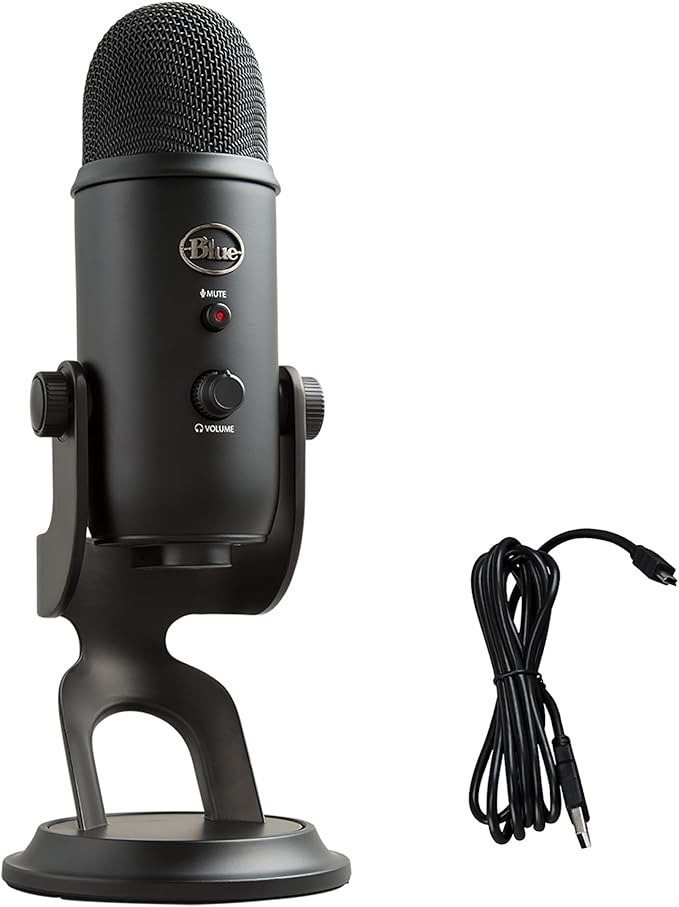

Blue Yeti — Best USB Microphone for YouTube Overall
The Blue Yeti is the mic that launched a million YouTube channels. Four polar patterns, USB plug-and-play, and crystal-clear audio quality at a price that won’t break the bank. Still one of the best USB microphones for YouTube in 2026. ✅ Pros: Four recording patterns, no audio interface needed, volume knob on mic ⚠️ Cons: Picks up room noise, bulky for small desks → Check Price on Amazon
Shure MV7+ — Best for Podcasters
The MV7+ is one of the best USB microphones for YouTube podcasters, bridging consumer USB and professional XLR worlds. Auto-level mode is a lifesaver for beginners who hate tweaking gain. Dual USB/XLR output means it grows with your setup. ✅ Pros: Dual USB/XLR, auto-level mode, built-in headphone monitoring ⚠️ Cons: Pricier than USB-only options → Check Price on Amazon
Elgato Wave:3 — Best for Streamers
Elgato’s Clipguard technology routes your audio through a second channel when your voice peaks — meaning absolutely zero clipping, ever. The Wave Link software is the best mixer app in this price range. ✅ Pros: Clipguard anti-clipping, excellent Wave Link software, clean design ⚠️ Cons: Cardioid-only polar pattern → Check Price on Amazon
Rode NT-USB Mini — Best Compact Mic
Studio-grade condenser sound in a package that fits in your laptop bag. The NT-USB Mini is perfect for travel vloggers and anyone whose desk space is at a premium. ✅ Pros: Studio condenser quality, ultra-compact, built-in headphone jack ⚠️ Cons: Gain controlled via software only → Check Price on Amazon
Rode Wireless GO II — Best Wireless System
Dual transmitters, 200m range, and onboard audio recording make the Wireless GO II the most flexible wireless system available. Essential for run-and-gun vloggers and interview-style content. ✅ Pros: 200m range, dual-channel, onboard recording backup ⚠️ Cons: Price premium over wired options → Check Price on AmazonThe Review Roundup team tests all products independently. As an Amazon Associate we earn from qualifying purchases at no extra cost to you.
How we chose
We compared over 20 USB microphones across price, audio quality, ease of setup, polar pattern versatility, and real-world creator use cases. Our picks prioritize plug-and-play simplicity and sound quality at each price point. The Review Roundup is reader-supported. When you buy through links on our site, we may earn an affiliate commission. Our picks are based on independent research — we never let commission rates influence our recommendations.Frequently Asked Questions
What is the best USB microphone for YouTube beginners?
The Blue Yeti and Shure MV7 are the two most recommended USB microphones for beginners — both plug directly into any computer with no audio interface required. The Blue Yeti offers multiple polar patterns for versatility; the Shure MV7 has a warmer sound and also comes in XLR. For a budget option, the Audio-Technica AT2020USB+ is hard to beat under $100.
Do I need an audio interface for a YouTube microphone?
Not with a USB microphone — they plug directly into any computer and are immediately recognized as an audio input. An audio interface is needed for XLR microphones, which offer higher quality. USB mics are perfect for most creators; XLR setups make sense when you’re ready to invest in broadcast-quality audio.
What’s the difference between a cardioid and omnidirectional microphone?
A cardioid microphone captures sound primarily from the front and rejects sound from the sides and rear — ideal for solo recording where you want to minimize room echo and background noise. An omnidirectional mic captures sound equally from all directions — better for recording multiple people. For YouTube and podcasting, cardioid is the right choice.
How do I reduce background noise in my YouTube recordings?
Three things make the biggest difference: record in a small room with soft furnishings, keep your microphone 6–12 inches from your mouth, and use a microphone with a tight cardioid polar pattern. In post-production, free tools like Audacity’s noise reduction or AI cleanup in Riverside.fm remove remaining hum and hiss.